iPhone: send bank text messages to Bosla
Use an iPhone Shortcut, set up once in about 3 minutes, to pass each bank SMS to Bosla so it lands in To review.
Most banks send a text the moment you pay. An iPhone Shortcut can pass each bank text to Bosla, and it lands in To review. You set it up once, in about 3 minutes.
Step 1: get your Shortcut key
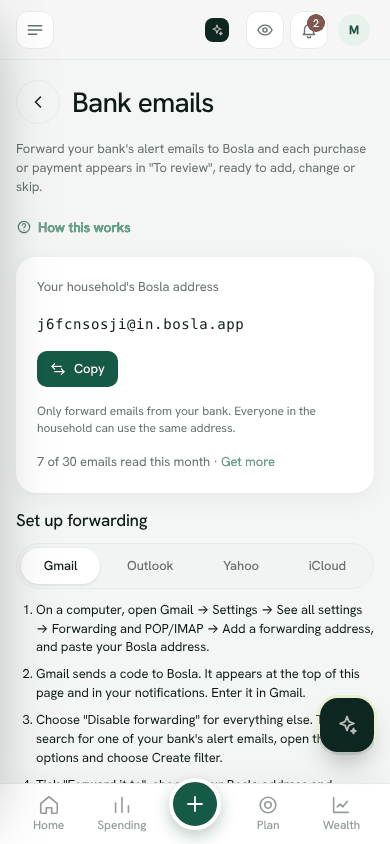
- 1Open Settings → Bank emails and find iPhone: bank text messages.
- 2Tap Get my Shortcut key.
- 3Tap Copy key. Copy it now: it is shown only once.
Step 2: make the automation
Tap How to set it up on iPhone to see these steps with the address to copy.
- 1Open the Shortcuts app → Automation → New Automation (or +) → Message.
- 2Under Sender, choose your bank's name as it appears in Messages (for example BankMuscat). Add another automation for each bank.
- 3Choose Run Immediately, then Next, then New Blank Automation.
- 4Add the action Get Contents of URL and paste the address shown in Bosla. Tap Copy next to it to copy it.
- 5Tap the arrow on the action: Method POST. Add a Header named x-bosla-key with your key as the value.
- 6Request Body: JSON. Add a text field named text and set it to Shortcut Input → Content. Add a field named sender set to Shortcut Input → Sender.
- 7Tap Done. Your next bank text appears in To review within a minute.
Check it is working
Back in Settings → Bank emails, the card shows On, the last characters of your key and when it was last used.
Keep your key private
Only messages from the senders you pick are sent. Bosla reads the amount, shop and date, then forgets the message. Anyone with your key could send entries to To review, so keep it private.
- To replace the key, tap Make a new key. The old one stops working, so paste the new key into your automation.
- To stop it, tap Turn off.
Android
Reading bank texts on Android needs the Android app, which is coming soon. Until then, forward your bank emails instead.
Open Bank emailsStill stuck? Write to us from Help in the app. Open Bosla · Updated 24 October 2026
Keep reading
- Ask Bosla: questions about your own moneyAsk about your spending, bills and goals in English or Arabic, and choose exactly what Bosla shares to answer.
- Scan a receipt, even a long oneTake a photo and Bosla reads the shop, each item and the total; long receipts can go in up to 6 photos.
- Price history, price check and your basketSee what you paid for each item and where it was cheaper, then check prices and your basket total while you shop.
- Forward your bank emails to BoslaForward your bank's alert emails to your household's Bosla address, and each purchase lands in To review.