Delete a household or your account
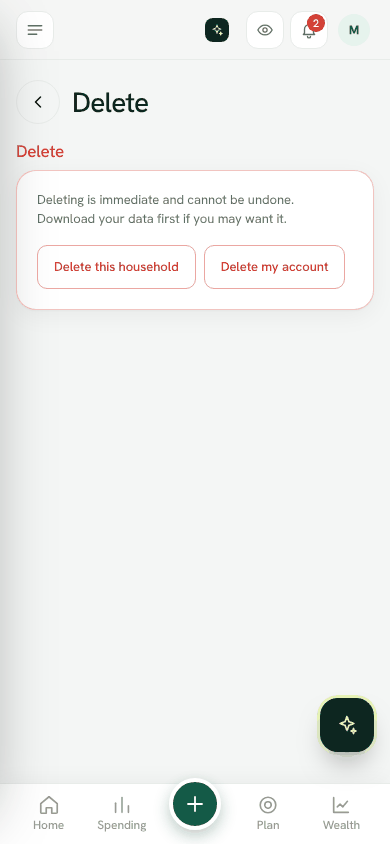
Delete a household for everyone in it, or delete your own sign-in, from Settings; deleting is immediate and permanent.
You can delete your data at any time. Deleting is immediate and cannot be undone, so download your data first if you may want it. See Download your entries.
Delete a household
This deletes the household for everyone in it: accounts, entries, goals, receipts and the vault.
- 1Open Settings → Delete.
- 2Tap Delete this household.
- 3Type DELETE to confirm.
- 4Tap Delete for good.
Delete your account
This deletes your sign-in and any household where you are the only member. Entries you made in a shared household stay, without your name.
- 1Open Settings → Delete.
- 2Tap Delete my account.
- 3Type DELETE and tap Delete for good.
Leave instead of deleting
- To stop paying but keep your data, cancel your plan; the household moves to Free.
- To stop someone seeing the household, remove them in Family.
- To leave a workplace, open Settings → Workplace and choose Leave this workplace. Your data stays with you.
Was this helpful?
Still stuck? Write to us from Help in the app. Open Bosla · Updated 24 October 2026
Keep reading
- The privacy lockLock shop names and notes so only your family's phones can read them.
- Lock Bosla with a PIN, and add a privacy keyAsk for a PIN, Face ID or fingerprint when Bosla opens, and lock personal text on your phone with a privacy key.
- Bosla AI and your dataWhat is sent to AI, what is never sent, and how to use your own key.
- The family vaultWrite down what your family needs to know in an emergency, and choose who can open it, and when.