The family vault
Write down what your family needs to know in an emergency, and choose who can open it, and when.
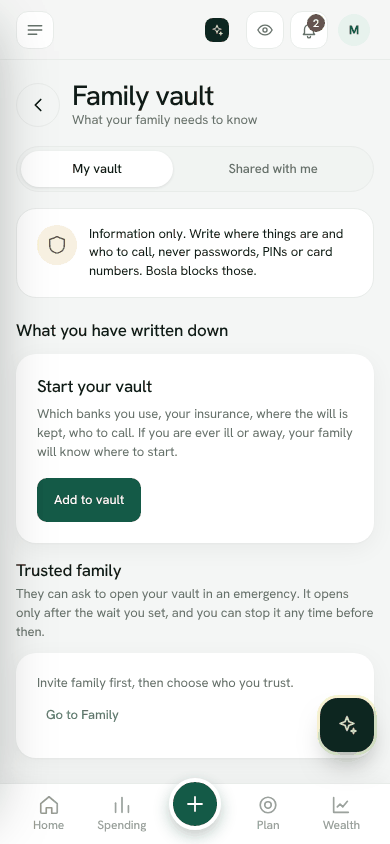
Which banks you use, your insurance, where the will is kept, who to call. If you are ever ill or away, your family will know where to start.
Add to the vault
- 1Open Family vault from the menu.
- 2Tap Add to vault.
- 3Choose what it is about, for example Bank account, Insurance, Property, Will or Who to call.
- 4Give it a Title and write the Details: bank, branch, last 4 digits, policy number, a phone number, where papers are kept.
- 5Under Who can see it, choose In an emergency (trusted family, after the wait you set) or One person, on a date (for a child or loved one; it stays locked until the date you choose).
- 6Save.
Trusted family
Under Trusted family, choose who you trust and the Wait before it opens. A trusted person can ask to open your vault in an emergency. You are told, and it opens only after the wait, unless you tap Stop this. Once open, you can Close access at any time.
Shared with me
When family trusts you with their vault, or leaves you a note for a future date, it appears under Shared with me. If someone cannot be reached in an emergency, open their vault there and choose Ask for emergency access.
With a privacy key, vault notes are locked on your phone before they are saved. The family vault is part of the Plus and Family plans.
Open the family vaultStill stuck? Write to us from Help in the app. Open Bosla · Updated 24 October 2026
Keep reading
- The privacy lockLock shop names and notes so only your family's phones can read them.
- Lock Bosla with a PIN, and add a privacy keyAsk for a PIN, Face ID or fingerprint when Bosla opens, and lock personal text on your phone with a privacy key.
- Bosla AI and your dataWhat is sent to AI, what is never sent, and how to use your own key.
- What the Bosla team can and cannot seeOur team sees account details only, never your entries, receipts, balances or vault, and your data is never used to train AI.