Set and keep a budget
Give a category a limit for each pay cycle and Bosla warns you before you go over.
A budget is a limit for one kind of spending, for each pay cycle. Start with the categories where money slips away, such as eating out or shopping.
Add a budget
- 1Open Plan and choose Budgets.
- 2Tap Add a budget.
- 3Pick the Category and enter the Limit each pay cycle.
- 4Tap Save.
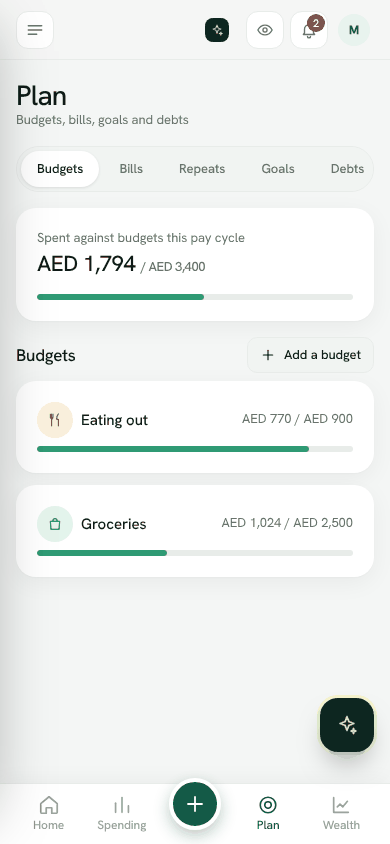
See how a budget is doing
Tap a budget to open its guide. You will see what is Left to spend, what to keep to Per day, Days to payday and where you will land At this pace.
Under What to do now, Bosla gives plain tips from your own entries, for example moving money from a budget that is on track to finish under. Tap Move it to do that in one step.
You also see your last pay cycles against the budget, and Patterns: spending by day of the week, from the last 3 months.
Get warned in time
In the budget guide, use Warn me at to choose the levels, such as 80% and 100%. Bosla tells everyone who manages money in the household when the budget reaches them. Switch on Phone notifications to get them on your phone too.
Open budgetsStill stuck? Write to us from Help in the app. Open Bosla · Updated 24 October 2026
Keep reading
- How Safe to spend worksSafe to spend is what is in your spending accounts, minus bills due before payday and what still has to go to your goals.
- Split your salary on paydayWhen your salary arrives, split it between bills, goals and spending in one step.
- Goals and your safety netSave for what matters, starting with money for the unexpected.
- Bills and repeating entriesNever be surprised by rent, school fees or a subscription again.