Change, pay for or cancel your plan
Manage your card and subscription from Plan and usage; you keep your plan to the end of the period you paid for.
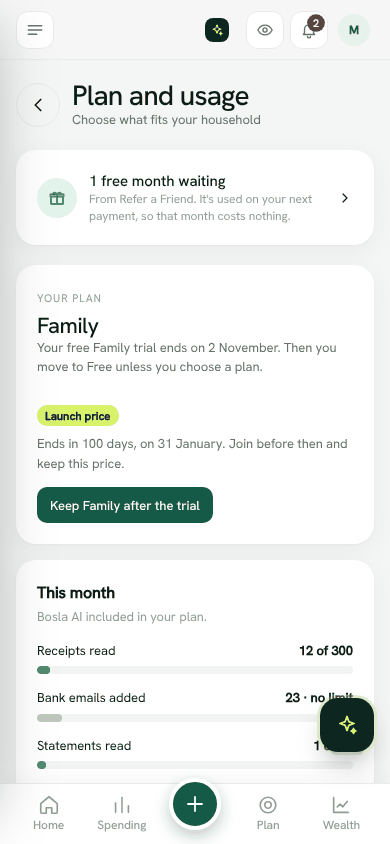
Pay for a plan
- 1Open Plan and usage.
- 2Choose Monthly or Yearly.
- 3Tap Choose on the plan you want, for example Choose Family.
- 4Pay on the secure payment page.
Payments are handled by Stripe (UAE, Oman and other countries) or Paystack (Nigeria, by card, bank transfer or USSD). Bosla never sees your card details.
When you come back, Bosla shows Thank you. Your payment went through and your plan will switch on in a moment.
In Oman: charged in US dollars
Prices in Oman are shown in Omani rials, but the payment provider cannot charge in rials. So Oman prices are charged in US dollars at the fixed rate of 1 OMR = 2.6008 USD, rounded to the nearest 10 cents. Plan and usage shows the exact amount under each price, for example Charged as $....
Change your card, plan or cancel
- 1Open Plan and usage.
- 2Tap Manage billing.
- 3Update your card, change plan, or cancel.
When you cancel, you keep your plan until the end of the period you paid for. Then the household moves to Free. Everything you entered stays. We do not refund part periods unless the law requires it.
Only the household owner or spouse can change the plan or billing.
If a payment fails
Bosla shows Your last payment didn't go through. Update your card to keep your plan. Tap Manage billing to update it. We will try again and tell you. If it is not fixed, your household moves to Free; your data stays.
Open Plan and usageStill stuck? Write to us from Help in the app. Open Bosla · Updated 24 October 2026
Keep reading
- Plans, the free trial and what changesWhat Free, Plus, Family and Business include, and what happens when a trial ends.
- Plans, the free trial and the founding member priceEvery household starts with a 14-day Family trial and no card; join a paid plan before 31 January 2027 to keep the launch price.
- Launch prices and founding membersJoin while the launch offer is on and keep your price for as long as you stay subscribed.
- Refer a Friend: give a month, get a monthWhen a friend joins with your link and makes their first payment, you each get one month free.