Refer a Friend: give a month, get a month
When a friend joins with your link and makes their first payment, you each get one month free.
How it works
- 1Open Invite friends from the menu.
- 2Send your link to a friend or family member. Tap Copy, Share on WhatsApp, Text message or More.
- 3They sign up with it and start any paid plan.
- 4After their first payment, a free month is added for each of you.
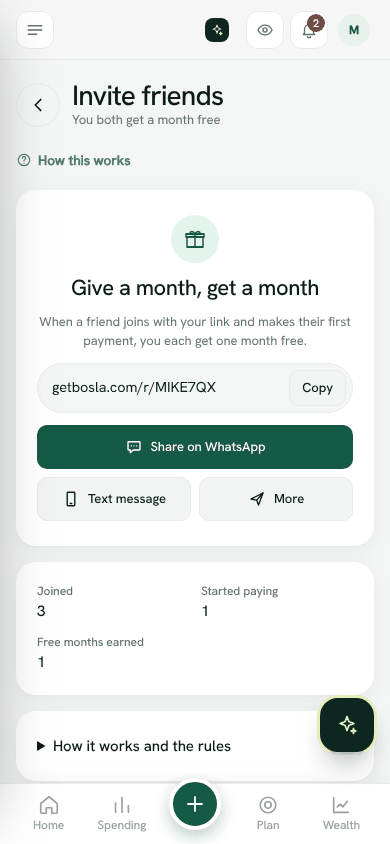
The page shows how many friends Joined, how many Started paying, and your Free months earned.
Using your free months
A free month is used on your next payment, so that month costs nothing. When one is waiting, Plan and usage shows it. When it has been used, you will see that it was taken off your bill.
The rules
- Up to 12 free months a year for the person inviting.
- It does not count if you invite yourself, someone in your own household, or someone who already has a Bosla account.
- If the friend's first payment is refunded or disputed within 14 days, both free months are taken back.
- Free months have no cash value and cannot be transferred.
- We may block rewards that look like misuse, and we may change or end the programme for future invites, with notice in the app.
Read the full rules in our terms of use.
Invite friendsWas this helpful?
Still stuck? Write to us from Help in the app. Open Bosla · Updated 24 October 2026
Keep reading
- Plans, the free trial and what changesWhat Free, Plus, Family and Business include, and what happens when a trial ends.
- Plans, the free trial and the founding member priceEvery household starts with a 14-day Family trial and no card; join a paid plan before 31 January 2027 to keep the launch price.
- Launch prices and founding membersJoin while the launch offer is on and keep your price for as long as you stay subscribed.
- Change, pay or cancel your planPay by card or Apple Pay and Google Pay, or with Paystack in Nigeria. Cancel any time.