Children: allowance, jars and chores
Give each child three jars (spend, save and give), an allowance, chores with rewards and short money lessons.
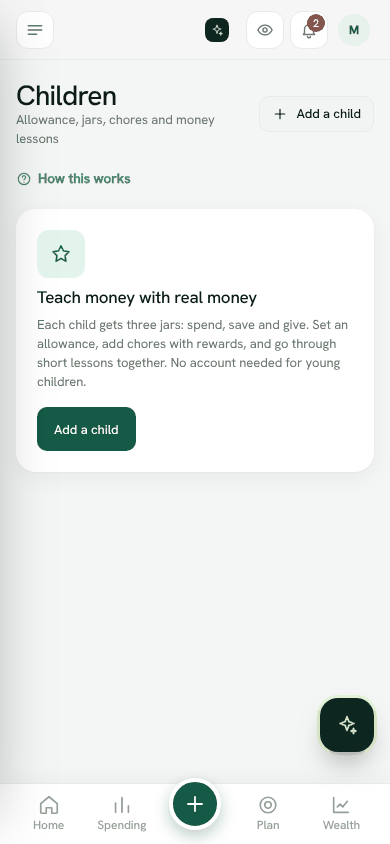
Teach money with real money. Each child gets three jars: Spend, Save and Give. Young children do not need an account.
Add a child
- 1Open Family, then Children.
- 2Tap Add a child.
- 3Enter the Name and Birth year. The birth year is used to choose lessons for their age.
- 4Set the Allowance, how often (Week or Month) and on which day.
- 5Under How money is shared between the jars, set the percentages. They must add up to 100%.
- 6Optionally, add what they are Saving for and a Goal.
- 7Save.
The allowance is paid into the jars automatically on the day. It is pretend money you hold for them, not a bank account.
Add or spend money
Tap Add or spend to record a gift (for example Eid money from Grandma), spending, or a move between jars. When they spend real cash you hold for them, record it here so the jars stay right.
Chores
- 1Tap Add a chore, for example Tidy your room.
- 2Set the Reward and whether it repeats: Once, Every day or Every week.
- 3When the child taps I did it, you get a notification.
- 4Tap Approve and pay to pay the reward into their jars.
Money lessons
Money lessons are chosen for the child's age, such as needs and wants, comparing prices, and giving. Read one together, try it that week and mark it as learned.
A letter for later
Choose Letter for later to write something for the future: a message, where savings are, a family story. It stays locked in your vault until the date you choose.
Open ChildrenStill stuck? Write to us from Help in the app. Open Bosla · Updated 24 October 2026
Keep reading
- Bring your family inInvite your partner and family, and choose what each person can do.
- Invite family and choose their roleBring your spouse and family into the household, each with a role that sets what they can see and do.
- Children's moneyPocket money, jars for spending and saving, and chores that earn.
- The shopping assistantA shared list that remembers what you paid and where it was cheaper.